
Automated content publishing is a governed pipeline that moves a brief to a published asset automatically while keeping a named editor in the loop. It makes sense once you’re producing repeatable formats at real volume, not for one-off flagship pieces. Done right, with clear approval gates, it cuts cycle time and gives you a publishing cadence you can actually count on instead of one that depends on who has a free afternoon.
TL;DR:
- Automated content pipelines significantly reduce cycle times by 40% to 60%, saving 5 to 15 hours per employee weekly in mature setups.
- Clear ownership and approval thresholds at each stage, especially for final review, are essential to prevent errors and maintain brand voice.
- Successful implementation involves phased rollout over 90 days, starting with low-risk automations and gradually scaling with measurable improvements.
- Governance controls such as a named editor, prompt library versioning, and automated fact-checking are crucial to avoid quality and compliance issues.
- The approval step remains the primary bottleneck, so assigning a specific owner with a defined SLA is vital for preserving automation benefits.
Table of Contents
- What Does an Automated Content Publishing Pipeline Look Like?
- What Are the Core Workflow Stages and Who Owns Them?
- Which Tool Categories Do You Actually Need?
- How Do You Pilot Automated Publishing in 90 Days?
- What Governance Controls Keep the System From Going Off the Rails?
- What Metrics Prove the System Is Actually Working?
- What Are the Most Common Pitfalls and How Do You Avoid Them?
- How MySearchHero Runs This Pipeline in Practice
- When Should You Auto-Publish and When Should You Gate for Approval?
- Let MySearchHero Run the Pipeline for You
- Sources
- FAQ
What Does an Automated Content Publishing Pipeline Look Like?
Picture a single loop instead of ten separate tasks handed off by email. A brief enters the system, an AI drafting tool produces a first pass, that draft gets adapted into two or three formats, a named editor reviews and approves it, and the system pushes the final version to your CMS and social channels at the same time. Content automation connects planning, drafting, approval, publishing, distribution, and optimization into that single coordinated workflow, rather than treating each stage as its own project.
The operational payoff shows up fast. Teams running mature setups report cutting production time by roughly 40% to 60%, saving 5 to 15 hours per employee per week depending on volume and complexity. That time doesn’t just disappear. It shows up as:
- More social and email variants produced from the same core asset without extra writing hours
- A publishing calendar that holds steady even during busy weeks
- Editors spending time on judgment calls instead of formatting and re-typing
Content ops teams and small agency owners juggling multiple client accounts tend to see the biggest gains, simply because they’re repeating the same format dozens of times a month.
What Are the Core Workflow Stages and Who Owns Them?
Every automated pipeline breaks into six stages, and each one needs a clear owner or it quietly breaks down. Here’s the sequence:
- Brief — a strategist defines the topic, keyword, audience, and goal.
- Generate — an AI operator runs the brief through a drafting tool to produce a first version.
- Adapt — the same draft gets reshaped into social posts, email snippets, or summaries.
- Review — a named editor checks facts, tone, and brand voice before anything goes live.
- Publish — the approved asset pushes to the CMS and channels through connectors, not copy-paste.
- Measure — an analyst tracks performance and feeds findings back into the next brief.
The line between automation and human judgment should sit right before publish. Generation and adaptation can run without a person watching every step; approval cannot, especially for anything customer-facing or making a claim. A content marketing workflow built around clear ownership at each stage is what keeps speed from turning into risk.
Pro Tip: Assign one person as the “stop” authority at the review stage, even if they’re not the most senior editor. A pipeline without a clear person empowered to say “not yet” will publish mistakes faster than a manual process ever could.
Which Tool Categories Do You Actually Need?
Skip the vendor shootout. What matters is assembling the right functional layers, because the categories work together whether you buy one platform or five.
- AI drafting and brief generation produces first drafts fast, but it needs a documented brief format and topic guardrails or you’ll get generic output that requires heavy rewriting anyway.
- Workflow orchestration and approval routing moves drafts between people automatically, which is what actually prevents bottlenecks, since the biggest constraint in most pipelines is the approval step, not generation speed.
- CMS and connector layers handle API publishing directly into your site. Platforms built around a headless architecture that separates content from presentation make multi-channel publishing far less brittle than manual copy-paste ever was.
- Multi-channel adapters push the same core asset into social schedulers and email platforms without a human retyping it for each format.
- Analytics connectors tie published output back to traffic, leads, and pipeline so you can prove the system is working.
Enterprise teams that get this right treat people, process, and platform as one aligned system rather than bolting automation onto an unchanged workflow. A current guide to AI’s role in small business content covers how this plays out for smaller teams without enterprise budgets.
How Do You Pilot Automated Publishing in 90 Days?
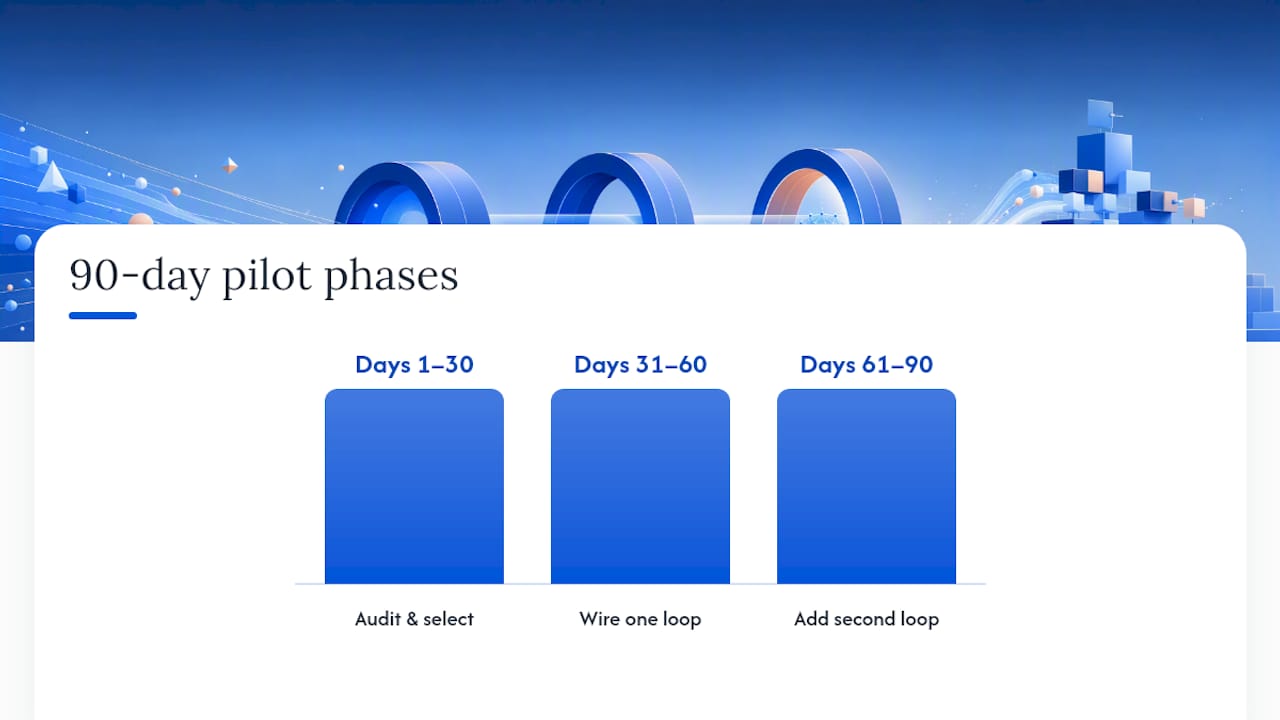
Don’t automate everything at once. A phased rollout, moving from audit to a single working loop to a scaled system, is the path that avoids brand-voice drift and keeps quality intact while you scale up gradually.
Days 1 to 30: Audit and pick your first automations.
- Map your current content process end to end and flag every manual handoff.
- Choose two or three low-risk automations to start: meta tag generation, alt text, or summary snippets.
- Assign a named owner to each stage, even if it’s a part-time responsibility.
Days 31 to 60: Wire one full loop.
- Connect brief, draft, review, and publish into a single automated chain for one content type.
- Build a prompt library documenting the exact instructions that produce on-brand output.
- Set explicit approval thresholds: what can auto-publish, what needs sign-off.
- Record your baseline cycle time and publish rate before scaling further.
Days 61 to 90: Add a second loop.
Layer in a second content type or channel, instrument your KPIs properly, and run weekly reviews. Expand scope only when you can point to a measured win, not a hunch. A documented content workflow guide is worth having open during this phase.
What Governance Controls Keep the System From Going Off the Rails?
Automation without governance is how brand voice quietly drifts and factual errors slip through. The fix isn’t slowing everything down. It’s putting a small number of hard checkpoints in the right places.
- A named editor owns final approval, with a defined SLA (24 to 48 hours is typical) so review doesn’t become the new bottleneck.
- A centralized prompt library with versioned templates keeps output consistent as more people touch the system, and documented prompt libraries measurably reduce voice drift once volume climbs.
- Automated fact-checking passes and spam or deliverability checks catch obvious errors before a human ever sees the draft.
- An audit log tracks who approved what and when, which matters the first time a client or compliance team asks.
Government and enterprise AI guidance converges on the same point: governance is what separates trustworthy automation from reckless automation, not the sophistication of the model doing the drafting.
Pro Tip: Version your prompt library the same way you’d version code. When brand voice drifts, you want to be able to point to exactly which prompt changed and roll it back.
What Metrics Prove the System Is Actually Working?
Cycle time and publish rate are your baseline numbers. Track how long a piece takes from brief to live, and how many pieces go out per week or month compared to your pre-automation average.
Teams running well-governed automation report production time drops of 40% to 60%, with 5 to 15 hours saved per employee per week depending on volume, according to MakeAutomation’s analysis. That range is wide because it depends heavily on how repeatable your content formats are.
Beyond speed, track your AI-to-human edit ratio (how much editors change per draft) and your asset reuse rate (how many formats you get from one core piece). Then follow the funnel down: organic traffic lift, assisted pipeline, and marketing-qualified leads. Run a simple before/after comparison using a control period or a content type you haven’t automated yet, so you’re not crediting automation for a seasonal traffic bump. SEO automation’s downstream effects are worth reading if organic traffic is your primary KPI.
What Are the Most Common Pitfalls and How Do You Avoid Them?
Most automation failures trace back to one of four patterns, and all four have a straightforward fix.
- Over-automation and brand-voice drift: set explicit thresholds for what auto-publishes versus what needs human eyes, and review flagged drift weekly.
- Approval bottlenecks: assign a named owner with an SLA; an unowned approval step is where pipelines die.
- Programmatic duplication: schedule regular content audits, since programmatic publishing can quietly create thin or duplicate pages that hurt SEO if nobody prunes them.
- Integration brittleness: prefer API-based connections over fragile scraping or manual exports, and pilot on a small scale before wiring your whole stack together.
Pro Tip: Run a duplicate-content audit every 90 days once you’re publishing programmatically. It takes an afternoon and it’s far cheaper than a ranking drop you have to reverse.
How MySearchHero Runs This Pipeline in Practice
MySearchHero’s monthly deliverables map directly to the stages above: AI-drafted SEO articles published to a client’s site, authority backlinks from a publisher network, Reddit brand mentions, and AI-generated social posts, all moving through the same brief-to-measure loop. The rollout mirrors the 90-day structure: audit, single loop, then scale, with approval gates and a documented prompt library behind every deliverable. [Author background and client case studies to be added.]

When Should You Auto-Publish and When Should You Gate for Approval?
My honest read: most teams either over-automate everything or refuse to automate anything, and both are mistakes. Auto-execute low-risk, repeatable tasks like meta tags and internal summaries. Gate anything customer-facing, anything making a factual claim, or anything tied to a launch behind a named editor’s approval.
Before you flip the switch on either mode, check three things: do you have a named editor with real authority to block a publish, do you have baseline analytics to measure against, and do you have a documented prompt library so quality doesn’t depend on one person’s memory. If you can’t check all three, you’re not ready to scale, no matter how good the drafts look in testing.
— Mike
Let MySearchHero Run the Pipeline for You
Building the system above takes real engineering time: connecting a CMS, wiring approval routing, writing a prompt library, and setting up analytics that actually attribute results. Mysearchhero skips that build entirely. Every month, subscribers get published SEO articles, authority backlinks, Reddit brand mentions, and AI-generated social posts delivered through an already-governed pipeline, with human review baked in rather than bolted on afterward.

That’s the same brief-to-measure loop covered above, minus the months of setup and the risk of getting governance wrong on your first try. If you run a local or service-based business and want the cadence without hiring an in-house content ops team, see what Mysearchhero’s platform includes and check whether your business qualifies for the current plans.
Sources
For a deeper look at how content automation fits together end to end, Activepieces’ guide to content automation covers the workflow model referenced throughout this piece. For enterprise governance patterns, see contentmarketing.ai’s breakdown of pitfalls and best practices. Marketers building repurposing workflows may also find best practices for video content repurposing useful for the adaptation stage.
- What Is Content Automation? A Simple Guide for Marketers
- What Is Content Automation and How It Drives B2B Growth – MakeAutomation
- Contentmarketing
- Content automation: what it is, examples & tools (2026)
FAQ
Can ChatGPT Automate Social Media Posts?
ChatGPT can draft social copy and captions, but posting still requires a scheduler or connector tool to push that copy live automatically; ChatGPT alone doesn’t publish to platforms.
How Can I Automate Content Creation?
Start by mapping your existing workflow, then automate the drafting and adaptation stages first while keeping a named editor approving anything before it publishes, exactly the phased approach outlined in the 90-day plan above.
Can Social Media Posting Be Automated?
Yes, multi-channel schedulers and connector tools can auto-publish social posts on a set cadence, though most teams still route posts through an approval step for anything beyond routine, low-risk updates.
Will AI Replace Content Creators?
Current evidence points to AI handling drafting and repetitive adaptation work while human editors keep ownership of strategy, brand voice, and approval, which is the governed model Mysearchhero and most mature content teams already use.
What’s the Biggest Bottleneck in an Automated Publishing Pipeline?
It’s almost never generation speed. It’s the approval step, so fixing that with a named owner and a clear SLA preserves most of the time savings automation promises.