
TL;DR:
- Most service businesses need a CRM focused on job management, mobile access, and automation, not just contacts.
- Choosing the right platform involves assessing operational fit, ease of use, integrations, and automation potential within a short trial.
For most service businesses, the right CRM is one built around job management, mobile access, and automated follow-up — not just a contact database. This article gives you a ranked shortlist, a feature checklist mapped to business size, a two-week evaluation plan, and a pricing breakdown so you can pick and pilot a platform this week.
The short answer by use case:
- Jobber — best for small crews and single-location home service teams; simple invoicing and scheduling with almost no learning curve
- FieldPulse — best for small-to-mid trades needing mobile-first dispatch and job tracking built specifically for field work
- Housecall Pro — best for residential contractors who prioritize payment convenience and customer communication
- ServiceTitan — best for large multi-truck operations that need advanced dispatch, parts management, and enterprise reporting
- HubSpot CRM — best for service businesses that run active marketing campaigns and need contact-level attribution alongside pipeline management
- Zoho CRM — best for growing service firms that want a budget-friendly, modular platform they can extend without switching tools
On the ease of use vs. field-service depth axis: Jobber and Pipedrive sit at the easy end; ServiceTitan and SAP Sales Cloud sit at the deep-feature end. Most businesses with fewer than 20 technicians get more value from the easy end than they expect.
A CRM built for service businesses connects customer records to job history, scheduling, invoicing, and communication so both office and field teams work from the same dataset — that single fact separates a service-focused CRM from a generic sales tool.
Table of Contents
- Which CRM platforms for service businesses actually compare?
- What features does your service business actually need?
- How do you choose the right CRM for your service business?
- What does CRM pricing actually cost a service business?
- Why do CRM implementations fail, and how do you avoid it?
- Key Takeaways
- The CRM decision you’re making is really a marketing decision
- Your CRM needs leads — here’s how to fill it without managing campaigns
- Useful sources
- FAQ
Which CRM platforms for service businesses actually compare?
The table below covers all 17 platforms. Freshsales and Keap each appear once under their canonical names (Freshsales CRM and Keap). Pricing reflects publicly listed starting points; “custom” means the vendor requires a sales call.
| Platform | Best for | Key service features | Starting price | Integrations | Ease of use | Scalability |
|---|---|---|---|---|---|---|
| HubSpot CRM | Marketing-integrated service businesses | Pipeline, contact attribution, email sequences | Free tier available | Extensive apps | High | High |
| Salesforce | Large multi-location operations | Deep customization, workflow automation | Custom | Very large ecosystem | Moderate | Very high |
| FieldPulse | Small-to-mid trades, mobile-first | Job scheduling, dispatch, mobile UX | — | QuickBooks, Stripe | High | Moderate |
| Jobber | Small crews, single-location | Invoicing, scheduling, client portal | ~$49/mo | QuickBooks, Stripe, Zapier | Very high | Moderate |
| Housecall Pro | Residential contractors | Scheduling, payments, SMS | — | QuickBooks, Stripe | High | Moderate |
| ServiceTitan | Large home service, multi-truck | Dispatch, parts, enterprise reporting | Custom | Extensive | Moderate | Very high |
| Zoho CRM | Budget-conscious growing firms | Modules, automation, pipelines | ~$20/user/mo | 500+ apps | Moderate | High |
| monday CRM | Visual workflow teams | Boards, job tracking, automations | — | Slack, Google, Zapier | High | Moderate |
| Freshsales CRM | Sales automation + basic service | Contact management, AI scoring | — | Freshdesk, Zapier | High | Moderate |
| Pipedrive | Simple pipeline management | Visual pipeline, contact tracking | — | Hundreds of apps | Very high | Moderate |
| Copper | Google Workspace-native teams | Contact sync, pipeline, Gmail | — | Google Workspace | High | Low–Moderate |
| Creatio CRM | Process automation, low-code | Low-code workflows, automation | Custom | Broad | Moderate | High |
| SAP Sales Cloud | Global enterprises | Enterprise-grade, global scale | Custom | SAP ecosystem | Low | Very high |
| BIGContacts CRM | Small teams, email marketing | Contact management, email campaigns | ~$5/user/mo | Zapier, email tools | Very high | Low |
| Agile CRM | Small-to-mid, marketing automation | Marketing automation, contact mgmt | Free tier / low-cost tiers | 50+ integrations | High | Low–Moderate |
| Keap | Small business CRM + automation | Marketing automation, invoicing | ~$249/mo | Zapier, payment tools | Moderate | Moderate |
| Nimble | Solo operators, micro-teams | Contact enrichment, social sync | — | Google, Microsoft | Very high | Low |
A few platform notes worth knowing:
HubSpot CRM offers a genuinely useful free tier. The catch is that serious marketing automation and custom reporting live behind paid tiers that add up fast. For a service business running Google Ads and email campaigns, the paid Marketing Hub earns its cost through contact-level attribution — knowing which channel produced a closed job, not just a click.
Salesforce is the most customizable platform on this list, but “customizable” is another word for “requires someone to configure it.” Expect a longer onboarding timeline and a higher total cost. It makes sense for multi-location businesses with a dedicated ops or IT resource.
FieldPulse and Jobber are the two platforms most purpose-built for field service. Both offer free trials. FieldPulse edges ahead on dispatch complexity; Jobber wins on simplicity for teams under ten people.

ServiceTitan is in a different weight class. It handles parts inventory, multi-truck dispatch, and enterprise reporting in ways that Jobber and FieldPulse don’t attempt. The tradeoff is cost and onboarding time — it’s not a two-week pilot tool.
Zoho CRM is the most extensible budget option. Its module structure means you pay for what you use, which works well for a growing business that doesn’t yet know what it needs.
Pipedrive is the easiest pure-pipeline CRM to set up. If your service business runs a straightforward sales process and you just need to stop losing leads in a spreadsheet, Pipedrive gets you there in a day.
Keap bundles CRM, marketing automation, and invoicing into one subscription. For a small service business that wants all three without stitching together separate tools, it’s worth the higher base price.
Nimble suits solo operators or two-person teams who need lightweight contact management with social enrichment. It’s not a field-service tool.
Pro Tip: Before committing to any platform, check whether the vendor publishes a live integrations list, offers a free trial or freemium tier, and has industry-specific templates or case studies from your trade. Those three signals tell you more about real-world fit than any feature comparison.
What features does your service business actually need?
Essential CRM features for service businesses include contact and job history, pipeline views, automated follow-ups, scheduling, mobile access, and basic invoicing. The list below maps those features to business size so you don’t pay for what you won’t use.
Solo operator or single-location crew (1–5 people):
- Contact and job history in one place
- Simple scheduling or calendar sync
- Estimate and invoice creation
- Automated follow-up for unsent estimates
- Mobile app that works offline
Small-to-mid service business (5–20 technicians):
- All of the above, plus:
- Dispatch and job assignment
- Recurring maintenance contract tracking
- Missed-call text-back automation
- Post-job review request automation
- Basic marketing source tracking
Multi-truck or multi-location operation (20+ technicians):
- All of the above, plus:
- Territory management and advanced dispatch
- Parts and inventory tracking
- Role-based access and approval workflows
- Advanced reporting and revenue attribution
- API access for custom integrations
Features to skip early: Territory management, complex approval workflows, and predictive AI scoring add real cost and configuration time. A five-person HVAC company doesn’t need lead scoring — it needs to know which estimates haven’t been followed up in 48 hours.
Home service CRMs that automate estimate follow-up, maintenance agreement tracking, SMS messaging, post-job review requests, and appointment reminders produce the most immediate revenue impact. Those five automations alone justify the subscription cost for most small service businesses.
Maintenance agreements deserve special attention. Recurring contracts can carry substantial profit margins for home service businesses. A CRM that tracks renewal dates and triggers automated outreach captures that revenue passively — without a single manual reminder.
Pro Tip: Prioritize speed-to-lead and estimate follow-up automations before anything else. A large share of service estimates are never followed up; businesses that respond to new inquiries within minutes convert at significantly higher rates than those that respond hours later.
How do you choose the right CRM for your service business?
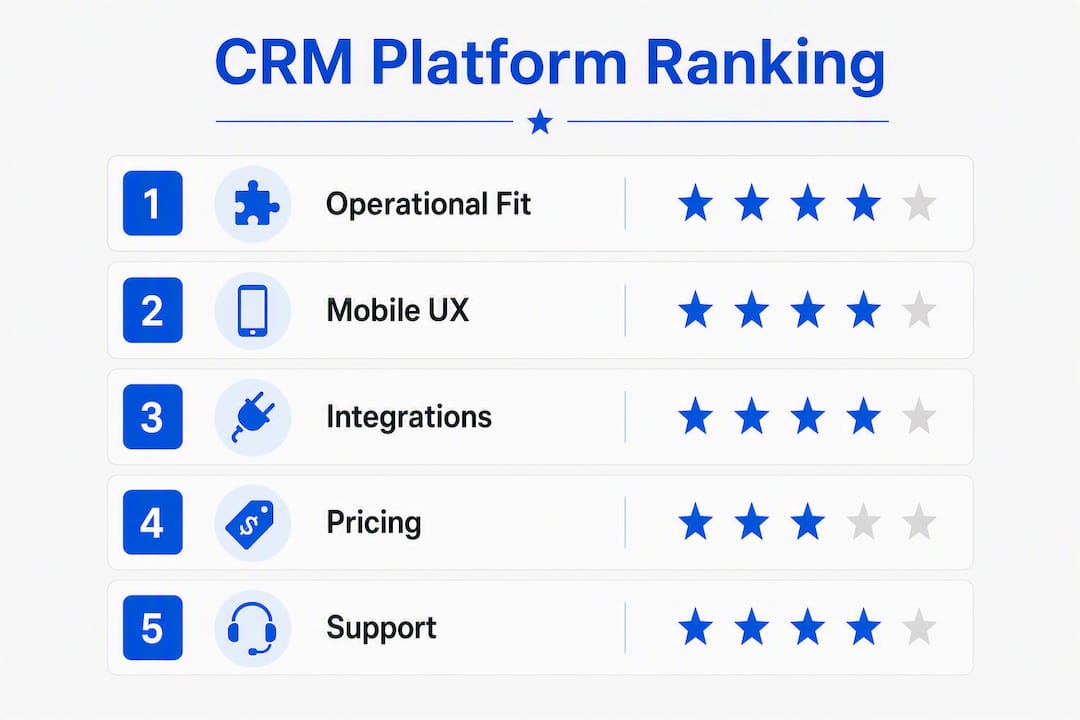
The decision comes down to five criteria, in this order: operational fit, mobile UX, integrations, pricing transparency, and data ownership. Here’s how to work through them.
1. Define your must-have features first. List the three workflows that cost you the most time or money right now — lost estimates, missed follow-ups, scheduling conflicts. Any CRM that doesn’t solve those three things is the wrong CRM, regardless of how good its marketing is.
2. Build a shortlist of two vendors. More than two creates comparison fatigue. Use the table above to eliminate options by business size and budget, then pick the two that fit your trade.
3. Run a two-week pilot. Limit your evaluation to two weeks to avoid analysis paralysis. Test only the core scenarios: mobile job updates in the field, missed-call text-back, estimate pipeline automation, invoicing, and marketing source capture. If those five things work, the platform works.
4. Ask these questions during vendor demos:
- How long does onboarding take, and what’s included?
- Is pricing per user or per technician? Are there per-device fees?
- Can I export all my data at any time, in what format?
- Is the mobile app fully functional offline?
- What’s the API availability and cost?
5. Watch for these red flags:
- Per-user limits that block technician access unless you pay for more seats
- Module fees that add 30–50% to the base price for features you assumed were included
- No offline mobile access for field technicians
- Onboarding that requires a paid professional services engagement just to get started
- No published integrations list or case studies from your industry
Decision-matrix tip: Score each shortlisted platform on five axes (operational fit, mobile UX, integrations, support quality, total cost) from 1–5. The platform with the higher total score almost always wins in practice — the exercise forces you to weight what actually matters to your business rather than defaulting to the most-marketed name.
Integrated CRMs with call tracking and marketing attribution are worth the extra cost for local businesses that run paid ads or multi-channel campaigns. Without attribution, you’re spending on marketing and guessing which channel is working.
What does CRM pricing actually cost a service business?
CRM pricing for service businesses breaks into four models: per-seat (most common), per-technician, per-location, and tiered modules. The model matters as much as the headline price.
| Pricing model | Example platforms | 5-person TCO (annual) | 20-tech TCO (annual) |
|---|---|---|---|
| Per-seat SaaS | Zoho, Pipedrive, Freshsales | $500–$3,000 | — |
| Flat monthly (small biz) | Jobber, Housecall Pro | — | — |
| All-in-one bundle | Keap | ~$3,000 | — |
| Enterprise/custom | Salesforce, ServiceTitan, SAP | $0–$2,500 | — |
These figures are illustrative ranges based on published starting prices; actual costs depend on plan tier, add-ons, and negotiated contracts.
Budget for more than the subscription:
- Onboarding and setup fees: $0–$2,500 depending on platform and complexity
- Data migration from spreadsheets or a previous CRM: $500–$3,000 for a professional migration
- Training: most platforms include self-serve video libraries; live training adds cost
- Integration fees: some accounting and payment integrations carry per-transaction or monthly connector fees
- Customization: low-code platforms like Creatio or Salesforce can add significant cost if you need custom workflows built
ROI levers that pay back the subscription fastest:
- Recovered estimates: automated follow-up on unsent or unopened estimates
- Maintenance agreement renewals: automated reminders capture high-margin recurring revenue
- Speed-to-lead: faster response to new inquiries converts more leads without spending more on ads
- Reduced admin: centralizing job scheduling, customer history, invoices, and communication cuts double-entry and phone-tag between office and field
Small businesses frequently pay for enterprise CRM features they never use. Matching the purchase to your current workflows — not the business you plan to have in three years — is the single most effective way to control CRM cost.
Self-hosted or one-time-license CRMs exist but are rare in this category. For most service businesses, a SaaS subscription with monthly billing and no long-term contract is the right default. It keeps exit costs low if the platform doesn’t fit.
Why do CRM implementations fail, and how do you avoid it?
The most common reason a CRM fails isn’t the software. It’s that the people who use it daily — technicians, dispatchers, office staff — weren’t involved in choosing it. A platform that makes sense to the owner on a laptop often feels clunky to a technician updating a job from a truck cab.
Here’s a short playbook that addresses that gap:
1. Involve field users before you buy. Have at least one technician and one office staff member test the mobile app during the trial. Their friction points are the real adoption risks.
2. Start with a two-person pilot. One office user and one field user. Run real jobs through the system for two weeks. Don’t configure everything — configure only what those two people need.
3. Measure five things during the pilot:
- Time to create and send an estimate
- Time to update a job status from the field
- Whether missed-call text-back fires correctly
- Whether invoices sync to your accounting tool
- Whether you can see which marketing source produced each new contact
4. Roll out in phases. Add users in groups of three to five. Train each group on the two or three workflows they use most. Don’t run a company-wide “go live” on day one.
5. Assign a CRM owner. One person — usually the office manager or dispatcher — owns the platform, handles questions, and flags configuration problems. Without a named owner, the CRM drifts back to spreadsheets within 60 days.
Businesses that respond to new lead inquiries rapidly convert at materially higher rates than those that don’t. The missed-call text-back automation alone — which fires an SMS to a caller who didn’t reach you — is one of the highest-ROI configurations in any service CRM. Set it up in week one.

Pro Tip: Don’t buy for the business you imagine in three years. Buy for the workflows you run today. You can add modules and complexity later; you can’t easily undo a platform that’s too complex for your team to adopt.
Key Takeaways
The strongest CRM choice for a service business is the one your field team will actually use — operational fit and mobile UX matter more than feature count.
| Point | Details |
|---|---|
| Match platform to business size | Solo and small crews fit Jobber or FieldPulse; large multi-truck ops need ServiceTitan or Salesforce. |
| Prioritize five automations first | Missed-call text-back, estimate follow-up, maintenance renewals, review requests, and appointment reminders deliver the fastest ROI. |
| Budget beyond the subscription | Onboarding, migration, and integration fees can add $500–$3,000+ to first-year costs. |
| Run a two-week pilot only | Limit evaluation to core scenario tests to avoid analysis paralysis and over-customization. |
| Mysearchhero fills the CRM pipeline | For service businesses that want quality leads flowing into their CRM without managing ad campaigns, Mysearchhero’s done-for-you SEO delivers monthly content, backlinks, and visibility on autopilot. |
The CRM decision you’re making is really a marketing decision
Most service business owners treat CRM selection as an operations problem. Pick the right scheduling tool, get the invoicing right, stop losing jobs in a spreadsheet. That framing is correct but incomplete.
The CRM you choose determines what you can measure about your marketing. If your platform doesn’t capture the source of every new contact — which ad, which Google search, which referral — you’re running marketing blind. You’ll know your revenue. You won’t know which channel produced it.
This matters more for local service businesses than for almost any other category. You’re running Google Local Services Ads, maybe some Facebook campaigns, relying on referrals, and hoping your Google Business Profile ranks. Each of those channels costs money or time. Without contact-level attribution in your CRM, you can’t answer the one question that determines your marketing budget: which channel actually closes jobs?
The fix is simpler than most owners expect. Configure a “lead source” field on every new contact record. Map your phone tracking numbers to that field. Connect your Google Ads account to the CRM. Now every estimate, every closed job, every maintenance agreement renewal has a source attached. That’s the data that tells you whether to double your Google Ads spend or cut it.
For local service business marketing to produce measurable ROI, the CRM has to be the place where marketing and operations meet. A platform that handles scheduling beautifully but has no source tracking is half a tool.
When the integration work feels like too much to manage in-house, a done-for-you marketing service that feeds leads directly into your CRM pipeline is worth considering over a DIY stack.
Your CRM needs leads — here’s how to fill it without managing campaigns
Picking the right CRM is only half the equation. The other half is making sure quality leads actually flow into it. That’s where most service businesses stall: the platform is set up, the automations are configured, and the pipeline sits empty because the marketing side never got built.

Mysearchhero is the alternative to hiring an agency or building a DIY content stack. Every month, subscribers get a bundle of SEO articles published to their site, authority backlinks, Reddit brand mentions, and social media posts — all pushed through an automated pipeline. No retainer negotiations, no content briefs to write, no campaign manager to hire. The leads land in your CRM because your site ranks for the searches your customers are already running.
For a service business that just chose a CRM and wants to see it fill up fast, start with Mysearchhero and let the SEO run on autopilot while you focus on the jobs.
Useful sources
- How to Choose the Right CRM for Your Service Business — Fieldified: Practical framework for matching CRM features to service-business workflows; check the feature checklist and integration guidance.
- CRM Features Your Service Business Actually Needs — GrowCRM: Opinionated guide on which features to prioritize and which to skip; useful for trimming your requirements list.
- The Ultimate CRM Guide for Home Service Businesses — Juicy Goosey: Covers high-impact automations for home service; good reference for estimate follow-up and maintenance agreement workflows.
- HVAC Profit Margins — ServiceTitan Blog: Data on maintenance agreement margins; useful for building the ROI case for recurring-contract tracking.
- 7 Signs Your Business Needs a CRM System — Smarter Business: Operational signals that indicate a CRM is overdue; useful for owners still on spreadsheets.
- How to Automate Email Campaigns with a CRM — Smarter Business: Step-by-step guide to building follow-up sequences inside a CRM; practical companion to the feature checklist above.
- Local Marketing Guide for Small Business Owners — Mysearchhero Blog: Covers local marketing tactics and how to measure them; pairs directly with the CRM attribution setup described in this article.
FAQ
What is the best CRM for a small service business?
Jobber and FieldPulse are the strongest starting points for small service businesses. Jobber wins on simplicity for teams under ten; FieldPulse adds more dispatch depth for trade businesses with field technicians.
How much does a service business CRM cost per month?
Costs range from free (HubSpot’s base tier) to $49–$249 per month for small-business platforms like Jobber and Keap, up to custom enterprise pricing for ServiceTitan and Salesforce. Budget an additional $500–$3,000 in first-year setup and migration costs.
What CRM features matter most for field service businesses?
Mobile job updates, dispatch and scheduling, estimate and invoice creation, missed-call text-back, and maintenance agreement tracking produce the highest immediate ROI for field service businesses.
How long should a CRM evaluation take?
Two weeks is the right window. Test only the five core workflows — mobile job updates, estimate follow-up, invoicing, missed-call text-back, and marketing source capture — and make a decision. Longer evaluations rarely change the outcome and delay adoption.
Can a CRM help with local marketing attribution?
Yes. A CRM with contact-level source tracking connects phone leads and ad spend to closed revenue. Platforms like HubSpot CRM and Zoho CRM support this natively; field-service tools like Jobber and FieldPulse may require a Zapier integration or a third-party call-tracking tool to achieve the same result.