
Link velocity is the pace at which your site gains (or loses) referring domains over a given stretch of time. The bottom-line move: don’t chase a numeric target. Treat velocity as a diagnostic signal, watching for referring-domain trends and jumping on any unexplained spike or drop before it turns into a ranking problem.
TL;DR:
- Significant link velocity spikes are often suspicious when they occur without corresponding increases in traffic, search interest, or social activity.
- Clusters of new referring domains sharing hosting, registration, or content patterns indicate potential manipulative link-building rather than natural growth.
- Vertical, abrupt increases in links from irrelevant or low-quality sites typically trigger algorithmic scrutiny and should be investigated carefully.
- Pacing link acquisition steadily, mixing source types, and aligning campaigns with real PR or marketing events help maintain natural-looking growth patterns.
- Monitoring tools should be set to cross-validate spikes across platforms, with particular focus on relevancy and domain quality before taking action.
Table of Contents
- What is link velocity in SEO and why does it matter?
- How do you measure link velocity?
- What does a healthy link velocity pattern look like?
- How do you pace link building so growth looks natural?
- What tools help you monitor link velocity issues?
- Does internal link velocity matter too?
- What should you do when you spot a velocity anomaly?
- How MySearchHero treats link velocity for client campaigns
- Want a system that watches link velocity for you?
- Sources
- FAQ
What is link velocity in SEO and why does it matter?
Link velocity started as forum shorthand for “how fast am I getting links,” but it’s grown into something more precise: the rate of change in referring domains and backlinks over a defined window. Google folded Penguin into its core ranking systems back in 2016, and Google’s own search advocates have been consistent since. Raw acquisition speed isn’t cited as a standalone ranking factor.
That distinction trips up a lot of people. Counting total links tells you volume. Counting referring domains tells you diversity, which matters more. Net velocity, meaning new domains minus lost ones, tells you direction. A site can gain 50 links from five domains in a week and that’s a different animal than gaining 50 links from 50 domains.
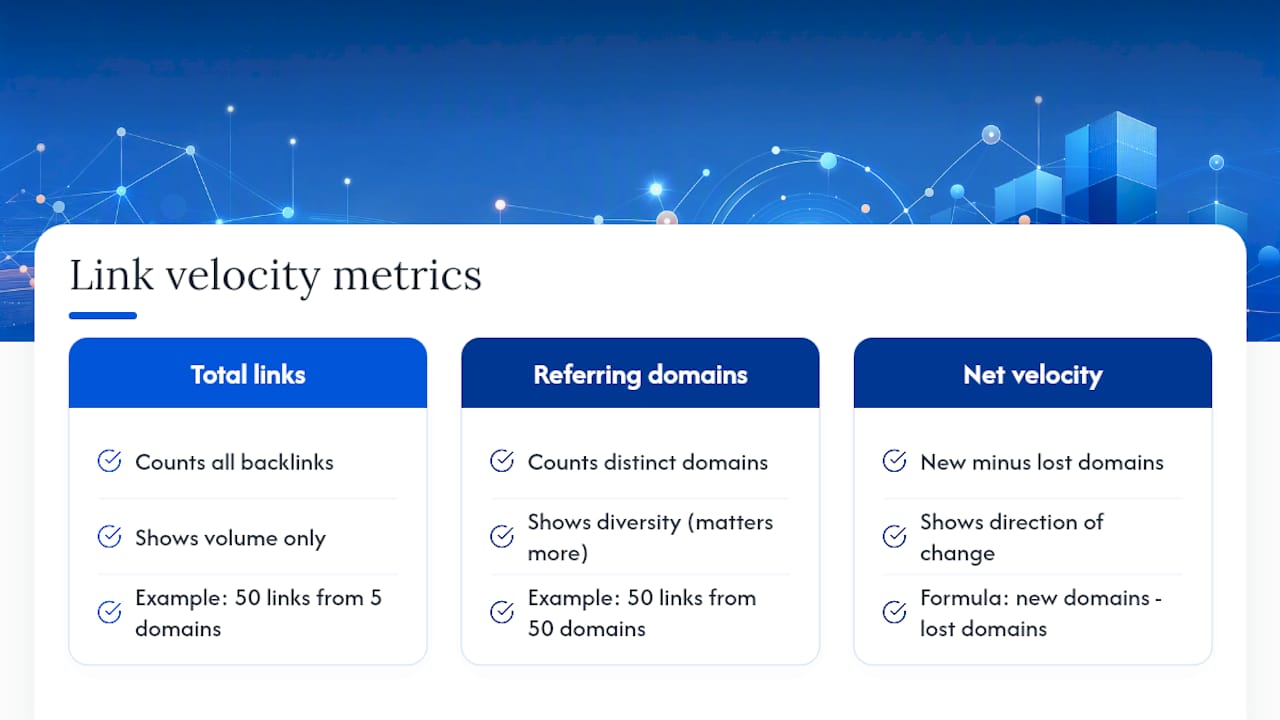
Velocity matters because patterns, not speed, are what get scrutinized. Search Engine Land’s breakdown of link velocity makes the case that context and pattern integrity are what Google actually examines, not raw rate. A sudden, unexplained cluster of similar-looking links is what draws SpamBrain’s attention, and it’s also what draws yours if you’re paying attention to your own backlink profile.
How do you measure link velocity?
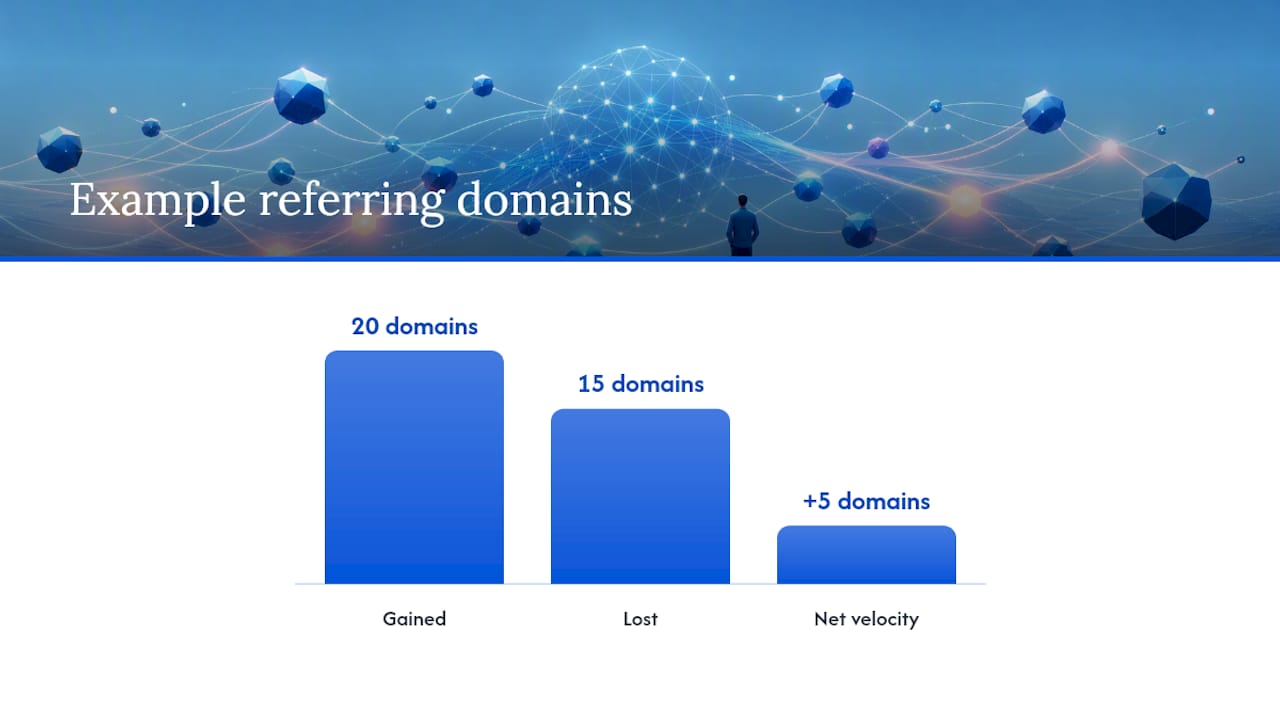
You need four numbers to actually understand what’s happening to your backlink profile: new referring domains, lost referring domains, net velocity, and percent growth relative to your existing base. Ahrefs’ glossary entry on link velocity frames it simply as links or referring domains gained per month, which is the easiest unit to track and compare.
Here’s how to actually run the calculation and build a habit around it:
- Pull a baseline. Export your referring domain count from the last 90 days and average it monthly.
- Track new vs. lost domains separately. A site gaining 20 and losing 15 has a net velocity of +5, which reads very differently from a site that only gained 5 with zero losses.
- Convert to percent growth. A jump from 10 to 20 referring domains is 100% growth. A jump from 500 to 510 is 2%. Same raw number, wildly different signal.
- Set your monitoring cadence. Weekly checks make sense during active outreach campaigns; monthly is enough for stable sites not actively building links.
- Cross-check across tools. Google Search Console shows your top linking sites natively, while Ahrefs and Semrush both offer historical referring-domain charts you can export and compare against your own baseline.
What does a healthy link velocity pattern look like?
Real growth spikes rarely show up alone. When a page genuinely goes viral or earns a wave of press, it drags other signals with it: branded search volume climbs, direct traffic ticks up, social shares multiply, and you can usually name the article or event that caused it.
Suspicious spikes look different. Watch for these signatures:
- A cluster of new referring domains that all share similar hosting, registration dates, or thin content.
- Repeated exact-match anchor text across multiple new links, which real editorial linking almost never produces.
- A big jump in referring domains with zero corresponding lift in traffic, branded queries, or social mentions.
- Links appearing on domains with no topical relevance to your niche whatsoever.
Search Engine Journal’s reporting on link velocity treats velocity monitoring as an early-warning system, catching negative SEO attacks or campaign misfires before they cost you rankings.
Pro Tip: Triage in this order: check if the spike appears across at least two tools (Ahrefs and Search Console), then look at whether the new domains share a topic or industry. If neither checks out, it’s probably noise, not a threat.
How do you pace link building so growth looks natural?
The safest strategy is treating campaign goals as incremental lifts on top of your existing baseline, not front-loaded bursts. If your site normally earns 8 to 10 referring domains a month, a campaign that suddenly produces 60 in two weeks is going to look exactly like what it is: manufactured.
Practical pacing tactics that hold up:
- Stagger outreach batches instead of sending every pitch the same week.
- Mix source types deliberately: guest posts, digital PR mentions, resource-page links, and niche directories all read as more organic together than any single source type repeated dozens of times.
- Document real PR triggers (a product launch, a press mention, a viral thread) so you have context ready if a spike does happen legitimately.
- Cap weekly acquisition at roughly 2 to 3 times your historical baseline unless you have a documented event driving it, a guardrail echoed in BacklinkGrid’s link velocity guide.
Faster acquisition is fine when it’s earned. A well-timed outreach campaign tied to a real launch or data study can justify a temporary jump, as long as you can point to the reason if anyone (including you) looks back at the data later.
What tools help you monitor link velocity issues?
A monitoring workflow only works if it’s simple enough that someone actually runs it every week. The core set to track: new referring domains, lost referring domains, net velocity, trend acceleration (is the rate of change itself speeding up), and anchor-text spread.
- Set alert thresholds in Ahrefs or Semrush. Both let you flag when referring domains jump beyond a set percentage in a given window.
- Check Google Search Console weekly for your top linking sites and any sudden appearance of unfamiliar domains.
- Review anchor-text distribution monthly. If one phrase suddenly accounts for a disproportionate share of new links, that’s worth a closer look.
- Escalate only on corroborated signals. One weird spike in one tool is noise; the same spike showing up in Ahrefs, Semrush, and Search Console together is a signal worth investigating.
A visibility monitoring workflow that ties backlink data to broader search visibility metrics tends to catch problems that backlink tools alone miss, since it puts velocity changes next to ranking and traffic movement side by side.
Does internal link velocity matter too?
Internal link velocity, meaning how often and how deliberately you add internal links to new and existing pages, is the safest lever in your entire toolkit. There’s no off-page risk, no domain to vet, no anchor-text pattern that can get flagged by an algorithm watching for manipulation.
Practical tactics: link every new post back to your highest-traffic pillar content within the first week of publishing, vary anchor text naturally instead of repeating the same phrase, and periodically audit older high-traffic pages to make sure they’re pointing to your newest relevant content. Search Engine Land’s guide notes that internal link velocity is an underused lever for distributing authority without touching external acquisition risk at all. It runs in parallel with your external monitoring, not instead of it.
What should you do when you spot a velocity anomaly?
Don’t disavow first. Verify first.
- Confirm the spike is real. Check it in at least two tools before assuming anything.
- Correlate with other signals. Look at branded search volume, direct traffic, and social mentions from the same window.
- Inspect the linking domains. Are they topically relevant? Do they share hosting or registration patterns? Backlynk’s analysis of how Google evaluates backlinks points out that SpamBrain flags exactly this kind of unnatural clustering.
- Document legitimate causes before you touch anything. If it’s real PR, write down the source.
- Reach out to webmasters for links that look accidental or spammy before escalating to a disavow file.
- Update your baseline and alert thresholds afterward so the next anomaly gets caught faster.
How MySearchHero treats link velocity for client campaigns
We monitor referring-domain trends across every client account and pace acquisition against each site’s own baseline rather than a generic industry number. When a spike or drop shows up, the response is investigation first, adjustment second. Velocity gets treated as a defensive signal protecting rankings already earned, not a metric to inflate for a monthly report.
— Mike
Want a system that watches link velocity for you?
Most site owners don’t have the bandwidth to check referring-domain trends every week, cross-reference three tools, and pace outreach by hand. That’s the gap Mysearchhero closes for local and service businesses: automated monitoring paired with a steady, sustainable link acquisition cadence, instead of a rented agency retainer or a DIY spreadsheet you forget to update.

Each monthly plan bundles backlink acquisition through a vetted publisher network with the reporting to show exactly how your referring-domain count is moving, alongside the SEO articles and Reddit mentions that give those links context to land naturally. Pacing stays deliberate by design, so growth looks like what it actually is: real, earned, and traceable.
If you want your backlink growth monitored without hiring anyone or building a tracking spreadsheet, start with Mysearchhero and see your first monitoring report.
Sources
- Penguin is now part of our core – Google Search Central Blog
- What Is Link Velocity? How It Impacts SEO and Rankings – Search Engine Land
- Link velocity – Ahrefs SEO glossary
- Search Engine Journal: Google link velocity
FAQ
What is a good link velocity for SEO?
There’s no universal number. What matters is growth relative to your existing referring-domain base and whether new links correlate with real traffic or branded search activity.
Can link velocity hurt my rankings?
A sudden, unexplained spike with no corroborating signal can trigger algorithmic scrutiny, but Google has said raw speed alone isn’t a standalone ranking factor. Pattern and context matter more than pace.
How often should I check my link velocity?
Weekly during active outreach campaigns, monthly for stable sites not actively building links. Cross-check Google Search Console against Ahrefs or Semrush data for accuracy.
Does internal linking affect link velocity?
Internal link velocity is a separate, safe lever that redistributes authority and topical relevance across your site without any of the risk tied to external link acquisition.
Should I disavow links after a velocity spike?
Not immediately. Verify the spike across multiple tools, correlate it with traffic and branded search data, and document any legitimate cause before considering a disavow file.