
Programmatic local pages are a smart way to scale location-targeted visibility, but only if you treat each page as a data product, not a mail-merge document. If you’re generating pages for more than roughly 10 to 15 locations or service areas, the template-plus-database approach beats hand-building every page. The catch: skip verifiable local facts and per-page uniqueness, and you’re building doorway pages Google can filter out in a batch.
TL;DR:
- Collect at least three verifiable local facts per page, such as full NAP, a unique local contact, and a recent review excerpt, to avoid Google’s duplicate content filters.
- Use a structured dataset with verified sources for location-specific details before generating pages, and leave out pages with incomplete or unverified information.
- Implement a staged rollout starting with 20 to 50 pages, and regularly monitor indexing, impressions, leads, and AI visibility signals to ensure effective performance.
- Conduct quarterly audits to ensure NAP consistency, review fresh content, and avoid stale reviews or outdated staff details that could harm schema signals.
- Outsource or automate the process with an experienced provider to prevent building templated spam, as collecting genuine local facts takes continuous effort and quality control.
Table of Contents
- What Are Programmatic Local Pages, and How Do They Work?
- Why Does Page Uniqueness Matter for Local SEO?
- How Do You Build the Data Pipeline Behind Local Pages?
- What’s a Safe Workflow for Generating Content at Scale?
- How Should You Structure Internal Links and Sitemaps?
- What’s a Realistic Rollout Plan and Timeline?
- How Do You Maintain Programmatic Pages Long-Term?
- Launching Programmatic Pages Without Losing Sleep Over Penalties
- Let MySearchHero Handle the Pipeline for You
- Sources
- FAQ
What Are Programmatic Local Pages, and How Do They Work?
Programmatic local pages combine a page template, a structured dataset, and a rendering pipeline to publish dozens or thousands of location-specific pages without writing each one by hand. That’s the key difference from old-school doorway pages: doorway pages swap a city name into otherwise identical boilerplate, while a properly built programmatic page pulls real, location-specific data into every section.
The template itself usually has five parts: an H1 that names the location and service, an intro paragraph, a local data block, a call-to-action, and an FAQ section marked up with schema. Behind that template sits a single source of truth, usually a spreadsheet or database with one row per location holding fields like address, service list, staff name, and review excerpt.
Rendering choice matters more than people expect:
- Static site generation (SSG) builds every page at deploy time, which is fastest for search engines to crawl and index.
- Headless CMS setups let non-technical staff edit fields without touching code, at some cost to build speed.
- Dynamic rendering generates pages on request, which works for huge catalogs but adds server load and latency risk.
LocalBusiness JSON-LD and FAQPage schema belong in the page head or a script tag near the data block, feeding structured facts straight to search crawlers and AI answer engines.
Why Does Page Uniqueness Matter for Local SEO?
Google’s scaled content abuse policy, formalized in March 2024, specifically targets pages that exist to manipulate rankings by swapping placeholder text across near-identical templates. A page that only changes the city name in an otherwise generic paragraph is exactly what that filter is built to catch.
The fix is collecting real, checkable facts for every location. At minimum, gather:
- Full NAP (name, address, phone) matching what’s listed on Google Business Profile
- A named local contact, like the branch manager or lead technician
- Location-specific services that genuinely differ from other branches
- A recent review excerpt pulled from that specific location’s listing
- A local landmark or directions cue (“two blocks from the county courthouse”)
- One market statistic, like population or household count for that service area
One credible framework recommends at least three verifiable local data points per page that don’t appear anywhere else on the site, since that’s roughly the threshold that pushes a page past near-duplicate filtering. Pair that with a genuine 30 to 50 word context paragraph, drawing on the kind of per-location detail practitioners at Empire325 point to as the difference between a page that ranks and one that gets filtered out.
Pro Tip: Use AI to draft sentences around facts you’ve already collected. Never ask an AI model to invent a landmark, a review, or a statistic. Feed it the row of real data and let it write, don’t let it guess.
How Do You Build the Data Pipeline Behind Local Pages?
The data pipeline is the actual product here. A page template is trivial to build; a clean, enriched, validated dataset behind it is the hard part, and it’s where most programmatic rollouts either succeed or quietly fail.
Start with a required-fields list: location name, full address, phone, service area radius, hours, and at least one staff name. Then layer in optional enrichment fields as budget allows: photo sets, review snippets pulled via API, and local market stats.
For that market context, public data is genuinely useful. Census topic pages give you population and demographic figures by place, and Data hosts structured government datasets you can pull into a location row for free. OpenStreetMap works well for landmark and geocoding data. If you’re scraping publicly permitted data at scale, a tool like Scrapy handles it, but only pull data you’re legally and ethically allowed to reuse.
On the stack side, you’ve got two realistic paths:
- Custom post type on an existing CMS (WordPress with Advanced Custom Fields, for example): faster to launch if you already run that CMS, but slower to render at scale and heavier on hosting.
- Headless CMS plus a framework like Next.js with static generation: more setup time up front, but faster page loads and cleaner crawl behavior once it’s live.
A 700+ page programmatic deployment that paired unique per-location data with editorial quality checks produced an 850% jump in organic clicks and a 104% increase in leads over six months. That’s the ceiling of what’s possible when the data layer is genuinely solid, not just technically present.
Before any page goes live, validate: does every fact in the row trace back to a real source (Google Business Profile, a phone call to the branch, a public dataset)? If a field is empty, leave the page out of that batch rather than filling it with a placeholder.
What’s a Safe Workflow for Generating Content at Scale?
A repeatable workflow keeps you fast without drifting into templated spam. The sequence looks like this:
- Pull the row of verified data for one location from your master dataset.
- Generate a first draft with AI, restricted strictly to the facts in that row.
- Route it through editorial review, checking for invented details, awkward phrasing, and template artifacts.
- Publish, tagging the page with its batch number for tracking.
- Log the page in your indexing and sitemap system.
The rule that prevents duplication problems down the line: generate each page independently from its own data row, and never let the AI model see or reuse text from a previous page’s output. Every page needs its mandatory unique slots filled (the local contact name, the landmark line, the review excerpt) before it moves to review.
QA sampling is where most teams cut corners they shouldn’t. Practitioners commonly review 5 to 15% of pages in each batch specifically checking for templated repetition and factual drift, not just typos. If that sample turns up two pages with near-identical intro paragraphs, that’s a signal to pause the whole batch and check your generation prompts.
Allowed automation: AI drafting from structured data, automated schema injection, automated internal linking based on geographic proximity rules. Disallowed: auto-publishing without any human review, letting a script invent a phone number or address when a field is blank, and reusing one city’s testimonial across five other pages with the name swapped.
Pro Tip: Keep a shared “banned phrases” list of stock sentences your AI tool tends to reuse across pages. Editors catch these fast once they know what to look for, and it keeps every page from sounding like it came out of the same mold.
How Should You Structure Internal Links and Sitemaps?
Think in a hub → region → city hierarchy. A URL pattern like /locations/texas/austin/ or /services/plumbing/dallas-tx/ gives crawlers and readers a clear sense of where a page sits in your site’s structure, and it makes internal linking logical instead of arbitrary.
Each location page should link to 6 to 8 geographic siblings (nearby cities or branches) plus 4 to 6 cross-category pages (related services at the same location) and back up to its parent hub. Avoid dumping every location into a single sitewide footer. That approach dilutes link equity across hundreds of links instead of concentrating it where it matters, a pattern flagged repeatedly in multi-location SEO guidance.
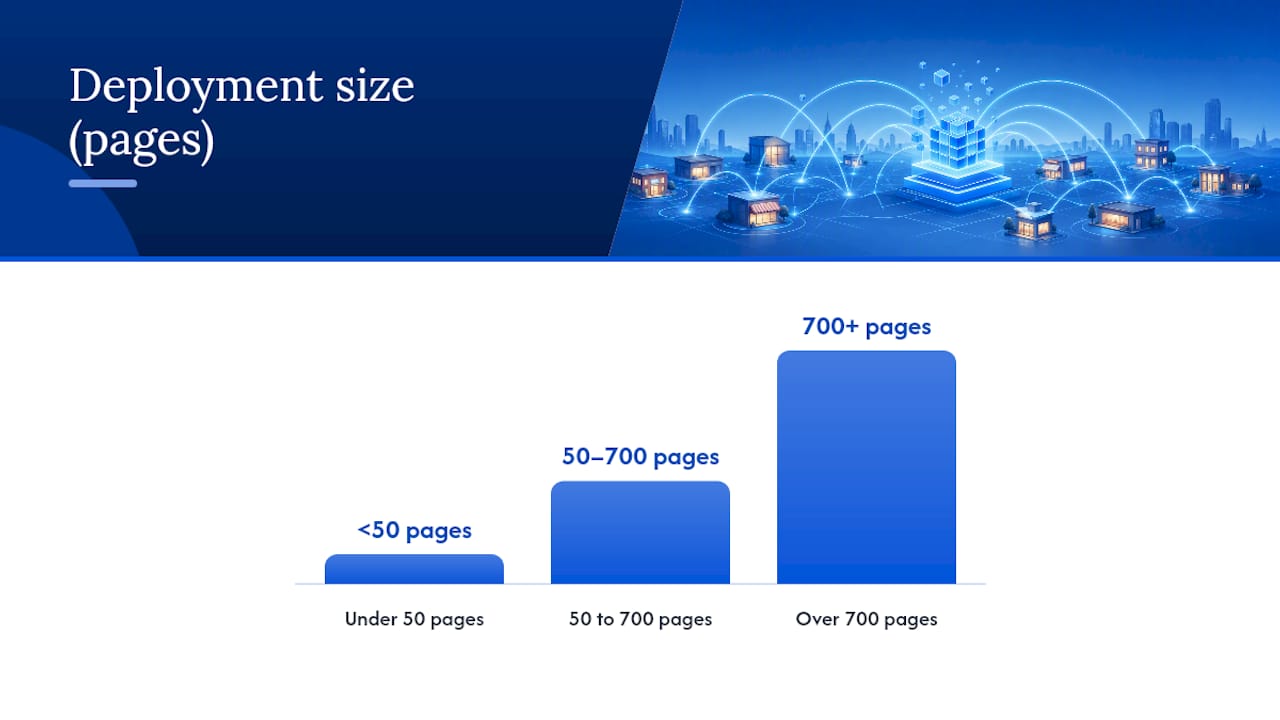
| Deployment size | Sitemap approach | Indexing signal |
|---|---|---|
| Under 50 pages | Single XML sitemap | IndexNow ping on publish |
| 50 to 700 pages | Segmented by region or service | Google Indexing API for priority pages |
| Over 700 pages | Chunked under 1,000 URLs per file | Both, plus staggered submission by batch |
Segmenting sitemaps by region also makes it far easier to spot indexing problems.
For discovery speed, connect your deploy pipeline to the Google Indexing API and use IndexNow for instant notification to Bing and Yandex. Canonical tags matter here too: if two pages could plausibly serve the same search intent, pick one as canonical and noindex the other rather than letting both compete and split ranking signals. Low-value pages, like a location with no real service differentiation, are better noindexed than published just to hit a page count.
What’s a Realistic Rollout Plan and Timeline?
Launch small. A first batch of 20 to 50 pages lets you catch data errors, template bugs, and indexing issues before they’re baked into a thousand pages. Once that batch clears validation, expand to 50 to 100 pages per cycle rather than publishing everything at once, a sequencing approach that practitioners consistently recommend for exactly this reason.
Track these metrics from day one:
- Indexation rate: what percentage of published pages Google actually indexes within four weeks
- Impressions and clicks in Search Console, segmented by batch
- Leads or conversions attributed to location pages specifically
- AI visibility signals: whether your pages surface in AI Overviews or answer engine citations
For low-competition local queries, expect initial indexing within 2 to 4 weeks. Measurable lead impact typically takes 3 to 6 months, since local search behavior and review accumulation both move slowly.
Either signal means pause, audit that batch’s uniqueness data, and fix before you publish the next round.
How Do You Maintain Programmatic Pages Long-Term?
Programmatic pages aren’t a “publish and forget” asset. Run a quarterly audit checking NAP consistency between the page, your Google Business Profile, and your LocalBusiness schema, since a mismatched phone number or address undercuts the trust signal schema is supposed to provide.
Set up automated alerts for common decay points:
- Hours or address changes that haven’t synced to the page
- Reviews that are more than a year old still shown as “recent”
- Staff names on pages for employees who’ve left
Assign a named owner for each region’s pages, ideally someone with actual local knowledge, not just a content manager working from a spreadsheet. Low-traffic pages that never gained traction after six months are candidates for consolidation into a broader regional page rather than sitting untouched.
Launching Programmatic Pages Without Losing Sleep Over Penalties
The mistake I see most often isn’t technical. It’s businesses treating the uniqueness requirement as a checkbox instead of the actual product. Teams will build a gorgeous template, wire up perfect schema, get the sitemap segmentation exactly right, and then fill the content with generic filler because collecting real local facts for 200 locations sounds tedious.
That’s backwards. The data, the actual staff names, the real review excerpts, the landmark that only makes sense to someone who’s driven past it, that’s the part that takes real effort and the part Google’s filters are specifically tuned to detect the absence of.
If you’re weighing whether to build this in-house or hand it to a team that does it daily, the honest answer depends on your bandwidth for the QA layer more than the template layer. Most businesses can hire someone to build a template in a week. Few have the internal process to keep 200 location rows accurate, sampled, and reviewed every quarter without it becoming someone’s forgotten side project.
Launch checklist before you go live:
- Every location row has verified NAP, a named contact, and a location-specific fact
- QA has sampled at least 10% of the batch for duplication
- Sitemap is segmented and submitted through IndexNow or the Indexing API
- Internal links point to real siblings, not a footer dump
- A local reviewer has personally checked at least one fact per page
— Mike
Let MySearchHero Handle the Pipeline for You
This service is an alternative to hiring an in-house content and SEO team for businesses that need location pages published, backed by real authority signals, and maintained without a dedicated staffer running the QA loop every quarter. Instead of managing a template, a data pipeline, and an editorial review cycle yourself, you can receive published SEO articles, authority backlinks, Reddit brand mentions, and AI-generated social posts delivered on a regular cadence.

This fits best for multi-location and service-area businesses that know they need the volume and consistency programmatic pages demand, but don’t have someone whose actual job is auditing NAP data and sampling pages for duplication every quarter. If you’re a single-location shop testing the water, a local marketing guide built for small businesses might be the better starting point. If you’re running 15, 50, or 300 locations and want the deliverables handled without adding headcount, check out MySearchHero’s plans and see what a managed setup would look like for your business.
Sources
- Programmatic Local Landing Pages for Real Estate: A Step-by-Step Guide | Awilix
- Programmatic SEO at Scale (2026): The Complete Implementation Guide | Empire325
- Schema
- Data
FAQ
What Are Programmatic Local Pages?
Programmatic local pages are location-specific landing pages generated at scale from a structured dataset and a shared template, rather than written individually for each city or branch.
How Are They Different From Doorway Pages?
Doorway pages swap only a city name into generic boilerplate; programmatic local pages, done correctly, pull genuinely unique local facts, staff names, and context into each page, which is what keeps them out of Google’s scaled content abuse filters.
How Many Locations Do I Need Before This Approach Makes Sense?
Most businesses see the template-and-database approach pay off once they’re managing more than 10 to 15 locations or service areas, since hand-building pages below that threshold is usually still manageable.
What Schema Markup Do Local Pages Need?
At minimum, use LocalBusiness JSON-LD with address, geo coordinates, phone, and hours matching the visible page content exactly, plus FAQPage schema for the FAQ section.
How Long Before Programmatic Pages Start Generating Leads?
Indexing for low-competition local queries typically happens within 2 to 4 weeks, but measurable lead impact usually takes 3 to 6 months as rankings and reviews accumulate.
Can MySearchHero Help Me Launch This Without Building It Myself?
Yes. This service delivers ongoing SEO content, backlinks, and visibility signals on a managed monthly basis, which suits multi-location businesses that want the output without running the data and QA pipeline in-house.